- Download UNetBootIn. For instructions on using UNetBootIn visit their homepage.
- Download ISO file.
- Format USB Flash to FAT32.
- Use UNetBootIn to transfer ISO to USB flash (click on “Diskimage” and on button with “…” chose the iso. Make sure that you are writting it to the correct USB drive).
- If you are using eee netbooks, first go to BIOS with F2, on “OS Installation” change from “Finished” to “Start”, exit saving changes, and access boot menu with ESC.
- Boot from USB and Chose (Do not choose to “install Leeenux”, we must fist boot to Live OS):
- For eee 2G, 4G or 900 series, or some other PC with Celeron M or Pentium M choose “…for Pentium M or Celeron M”
- For all the rest, choose the first or the second option
- Click on the icon “Install Leeenux”. It is in menu and on the desktop.
- Follow the onscreen instructions (if your screen is too small for the window, use ALT+Drag to move it and see the buttons).
- For 2G and recommended for 4G: use custom partitioning, create just one partition and mount it as “/”. Do not create SWAP partition!
- Once finished, click on Restart NOW, and when you get frozen screen, click ENTER.
- For eee 2G and 4G: Go once again to BIOS and change “OS Installation” to “Finished”.
Download PowerPoint presentation – installation guide: Leeenux Linux PPT installation Guide
As we know, Leeenux must be installed using English language and English keyboard layout. However, it is easy to install any Language or keyboard layout after installation. These are the steps how to do it.
Install Language other than English
- First things first: go to the terminal and:
sudo apt-get update - From the menu go to Preferences > Language support
- It will inform you that: “The language support is not installed completely”. Click on “Install”.
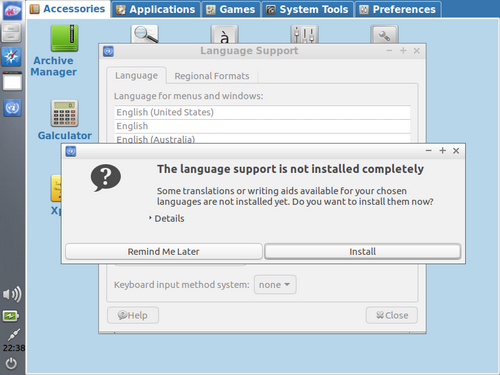
- Click on “Install/Remove Languages”
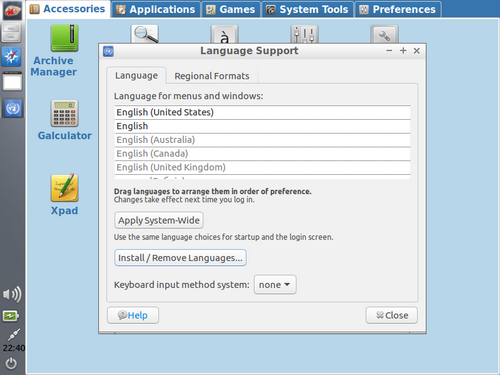
- Close and Drag your desired language to the top.
- Click on Apply System-Wide.
- Go th the Regional Formats tab and click on Apply System-Wide.
- Reboot!
Install other Keyboard layouts
- Rightclick on the Panel > Panel Settings
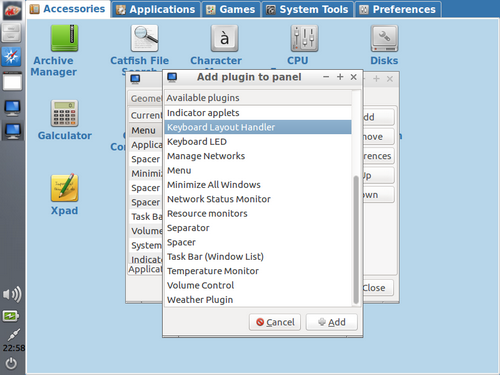
- Go to the “Panel Applets” tab > Add
- Choose “Keyboard Layout Handler” and click on “Add”.
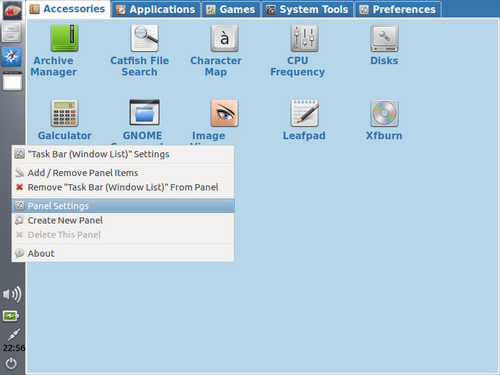
- Rightclick on the flag and choose the “Keyboard Layout Handler Settings”.
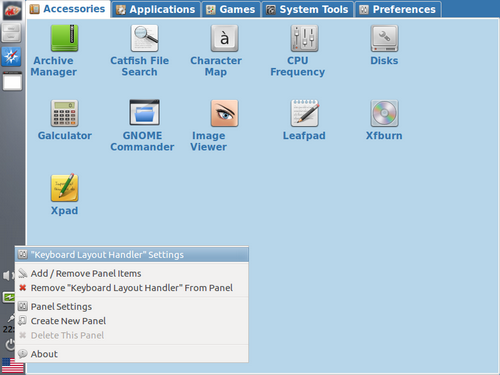
- Uncheck “Keep system Layouts”.
- Optional: I prefer not having a flag, but rather country initials. For that choose “Custom image”.
- Add > Choose Layout > Close and Done!